🚀 Getting Started Guide
Welcome to Escape RP! This guide will walk you through your first steps in the city, from your apartment to exploring the world. In this guide, you'll learn how to use the key features of the city and get your character set up for success. You'll learn to:
- Navigate your apartment
- Understand your inventory
- Use the "Third Eye" system
- Use the F1 Radial Menu
- Access your garage
- Retrieve your starter vehicle
- Explore the city and find things to do
This guide is designed for new players to help you get acclimated to the Escape RP experience. Take your time and don't hesitate to ask questions in our community if you need help!
🏠 Your Apartment - Your Starting Point
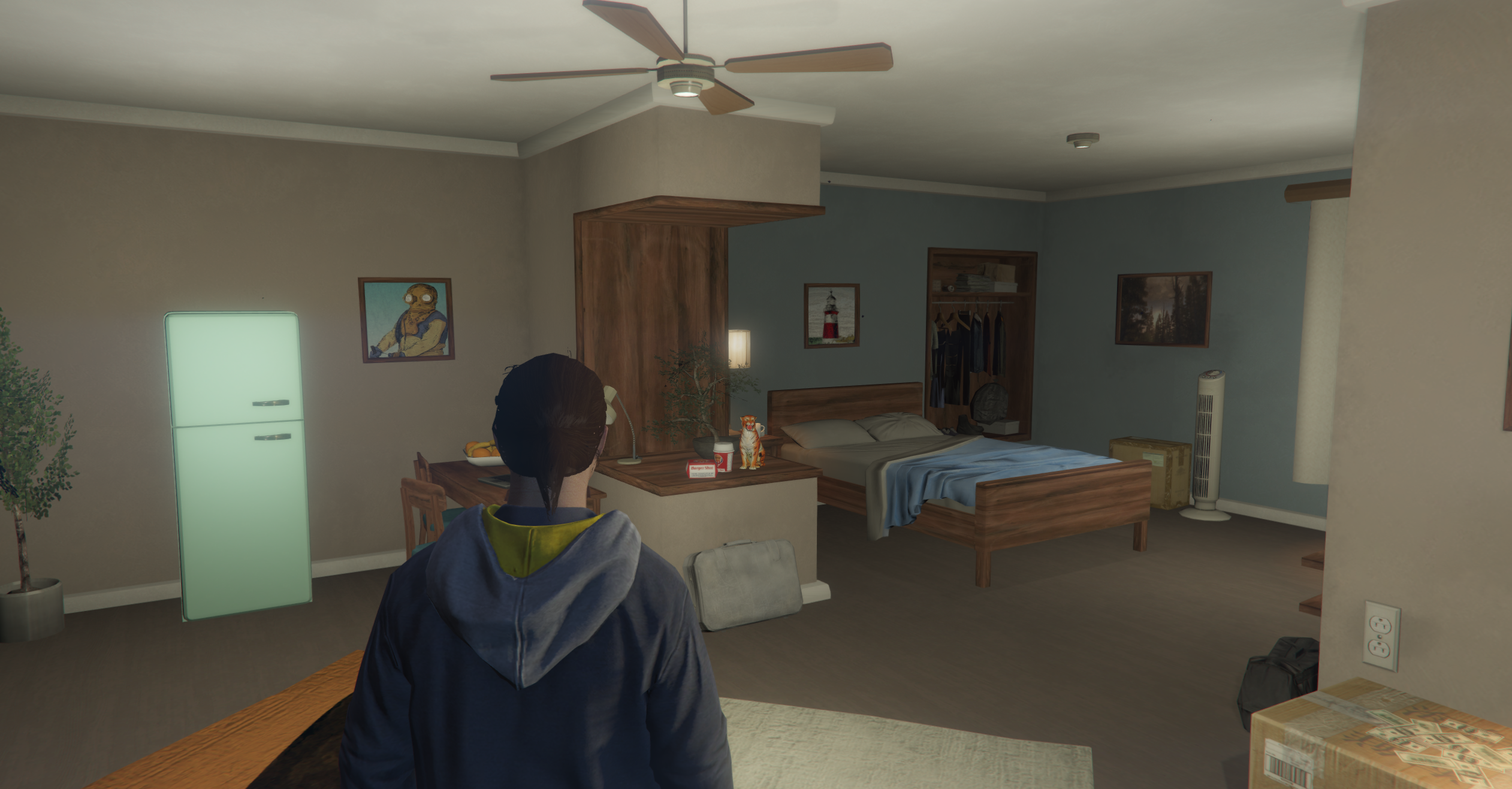
When you first spawn into the city, you'll find yourself in your government-provided apartment - and the best part? It's completely free! Your apartment is basic but functional, containing:
- A stash for storing items
- A door to exit into the world
Take a moment to familiarize yourself with your apartment layout. This will be your home base as you start your journey in the city!
📦 Understanding Your Inventory
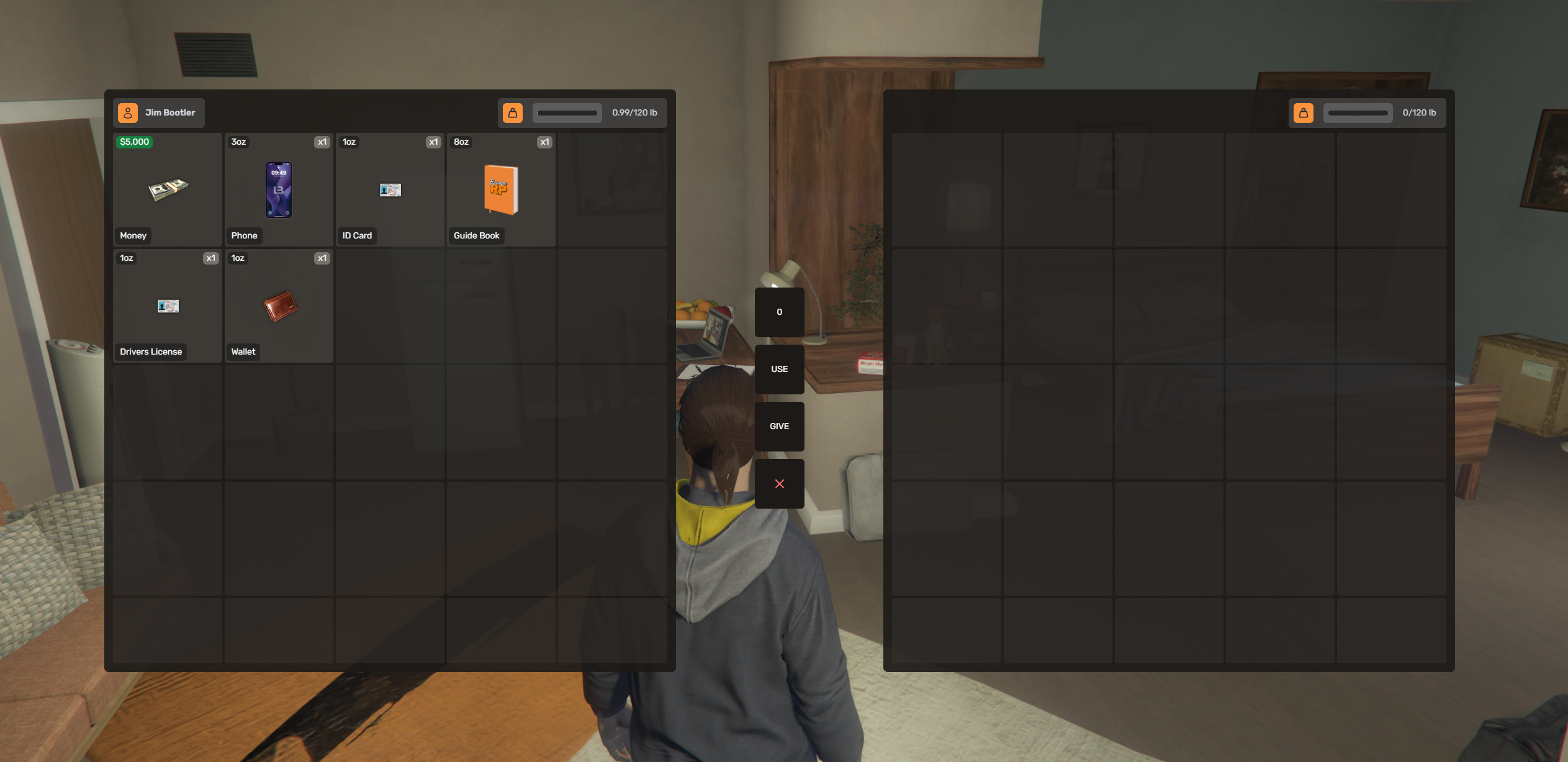
Press TAB on your keyboard to open your inventory system. Understanding this interface is crucial for managing your items:
Left Side - Your Pockets
- This is your personal inventory - what you carry on your person
- Limited space, so manage it wisely!
Right Side - Ground/Container
- When not interacting with a container, this shows items on the ground
- When interacting with a stash, vehicle, or other container, this shows that container's contents
Middle Section - Item Actions
- Drag items between left and right sides to move them
- Use the action buttons to specify quantities, give items, or use them
- First 5 slots are your "action slots" - press 1-5 on your keyboard to quickly use these items
- Double-click some items to use them instantly
The inventory system is deep and rewarding to explore. You'll find stashes throughout the city and plenty of items to collect!
🔍 Using the Third Eye System
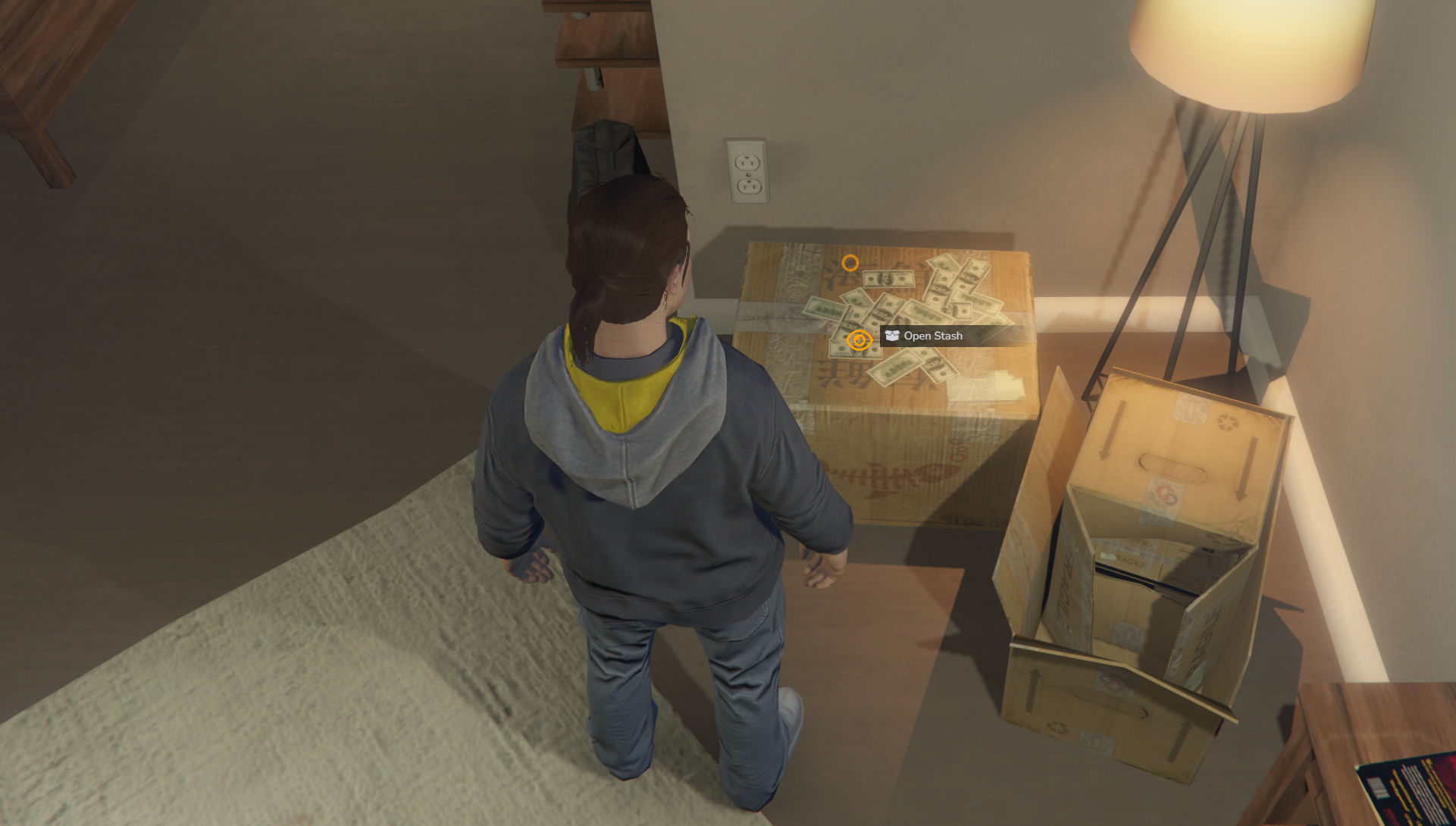
The Third Eye is one of the most important interaction systems in Escape RP. Here's how to use it:
Hold ALT + Right Click to activate the Third Eye menu
In this example, you can see the Third Eye being used on the stash directly across from your apartment door. Click on "Open Stash" to access your storage.
The Third Eye system is used throughout the city for interacting with objects, NPCs, and other players. You'll see it everywhere!
🚪 Leaving Your Apartment
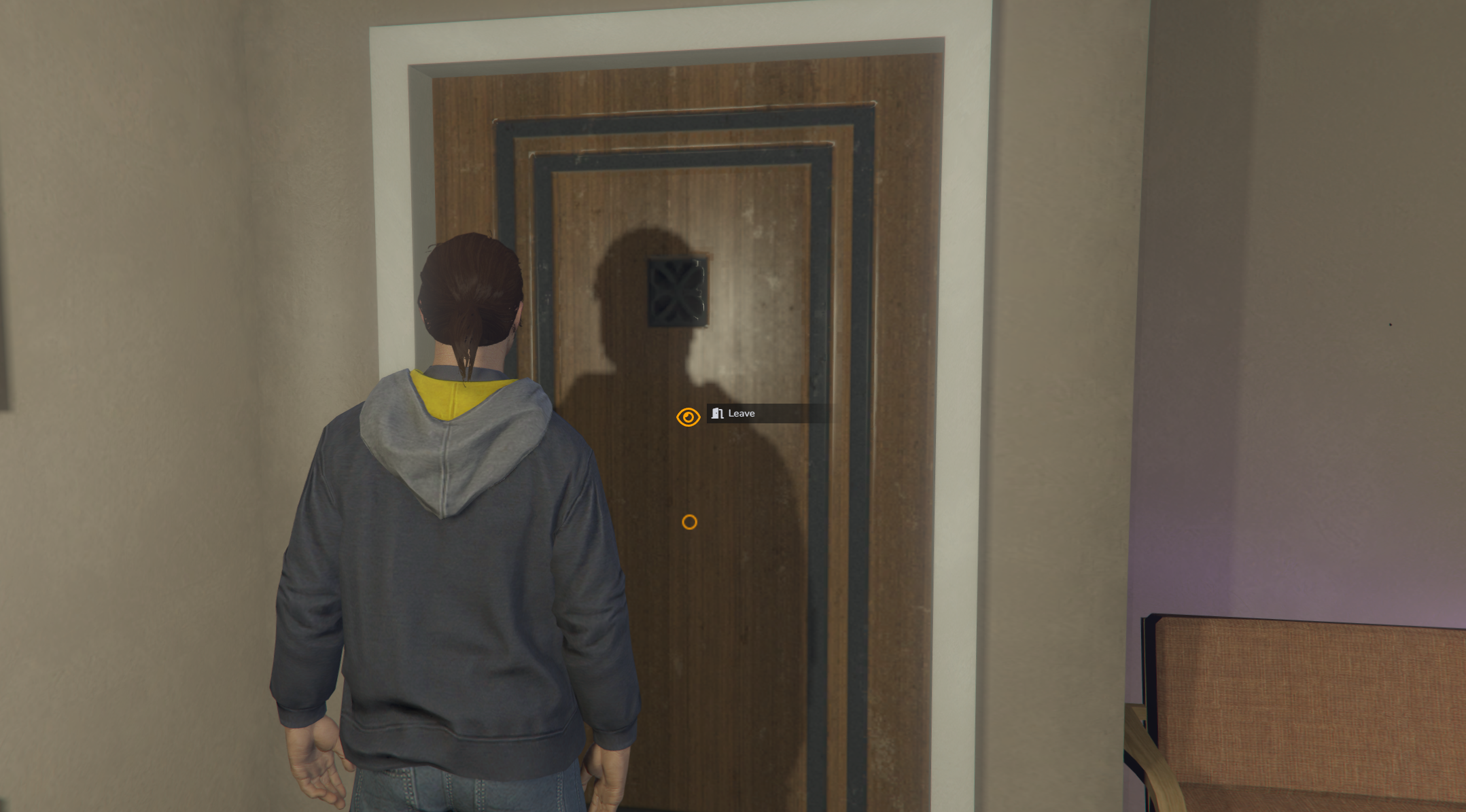
When you're ready to explore the world, face your apartment door and use the Third Eye system:
- Hold ALT + Right Click while looking at the door
- Click "Leave" to exit your apartment
Welcome to the outside world!
🏠 Getting Back Inside
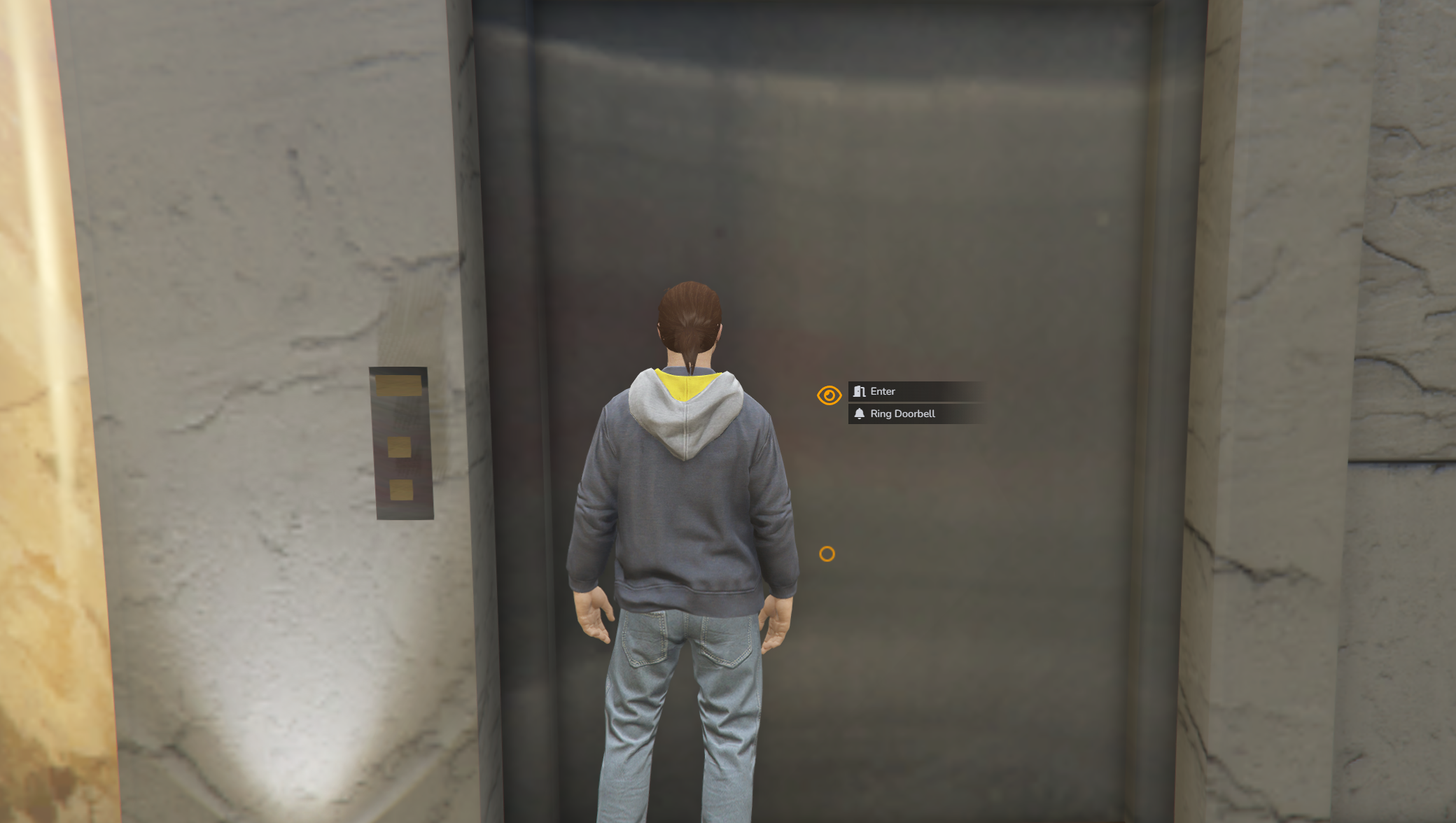
To return to your apartment, you'll need to use the elevator:
- Find the elevator in your apartment building
- Use Third Eye (ALT + Right Click) on the elevator
- Choose from the options:
- "Enter" - Access your own apartment
- "Ring Doorbell" - Request access to someone else's apartment (if they allow it)
🚗 Finding Your Parking Lot
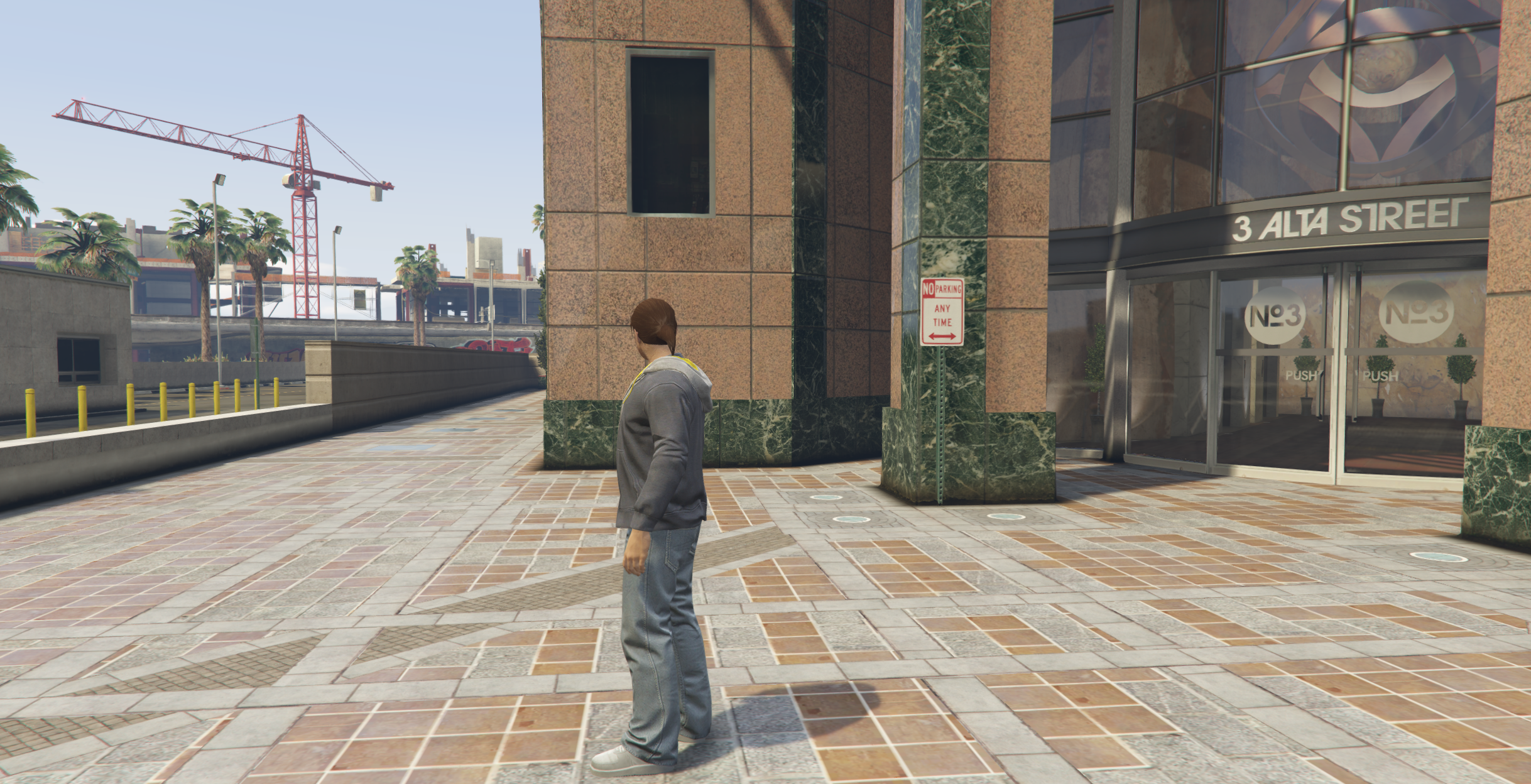
Different apartment buildings have different parking arrangements. If you chose Del Perro as your apartment location, you'll need to:
- Exit your apartment building
- Walk around to the back of the building
- Find the parking lot designated for your building
- Look for the nearest parking space
🅿️ Accessing Your Garage
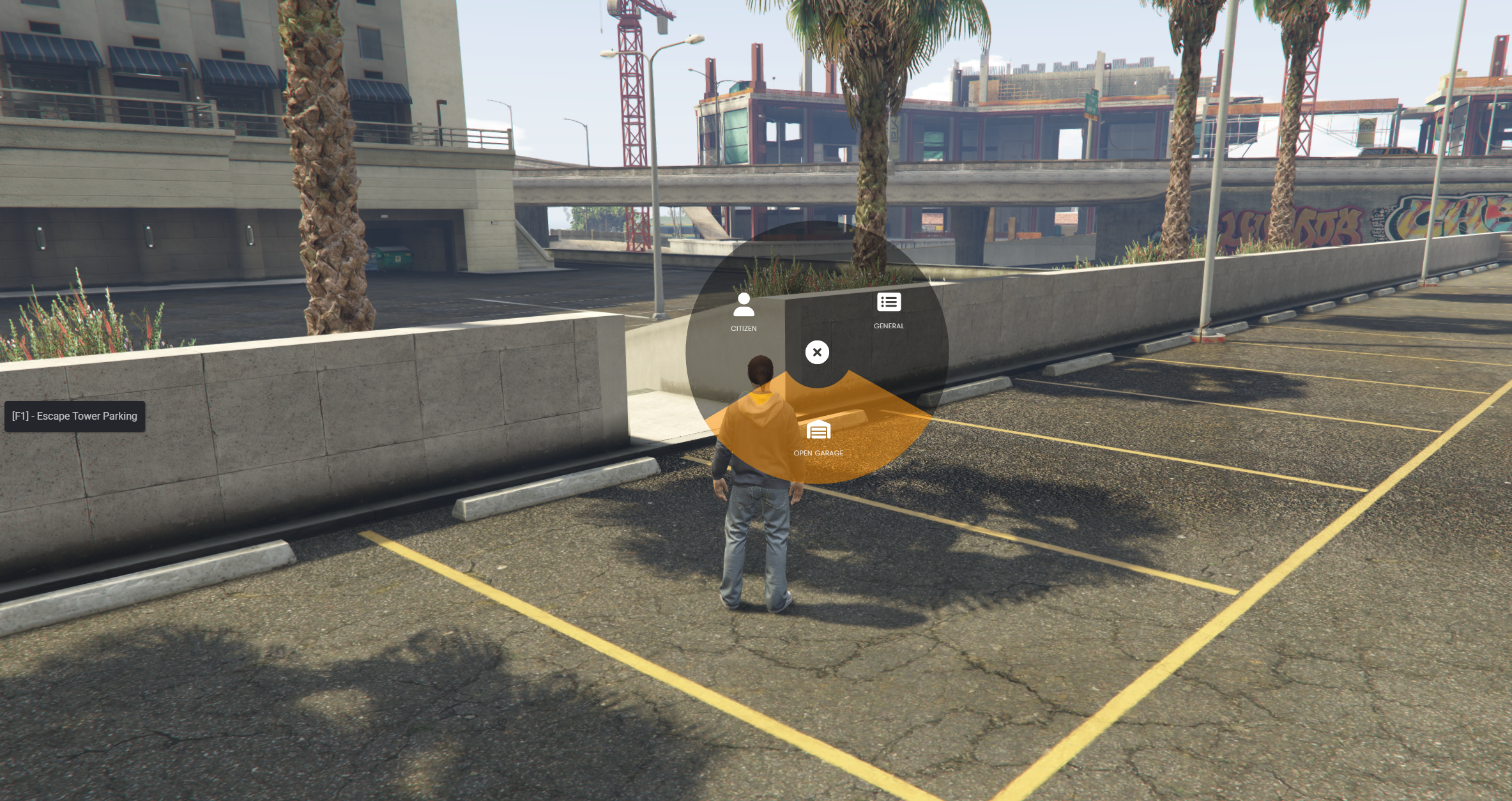
Once you're standing in a parking space, you can access your vehicles:
- Press F1 to open the radial menu
- The radial menu is context-sensitive - different options appear based on your location
- Click "Open Garage" to access your stored vehicles
The radial menu (F1) is another crucial interaction system that provides different options depending on where you are and what you're doing.
🚙 Retrieving Your Starter Vehicle
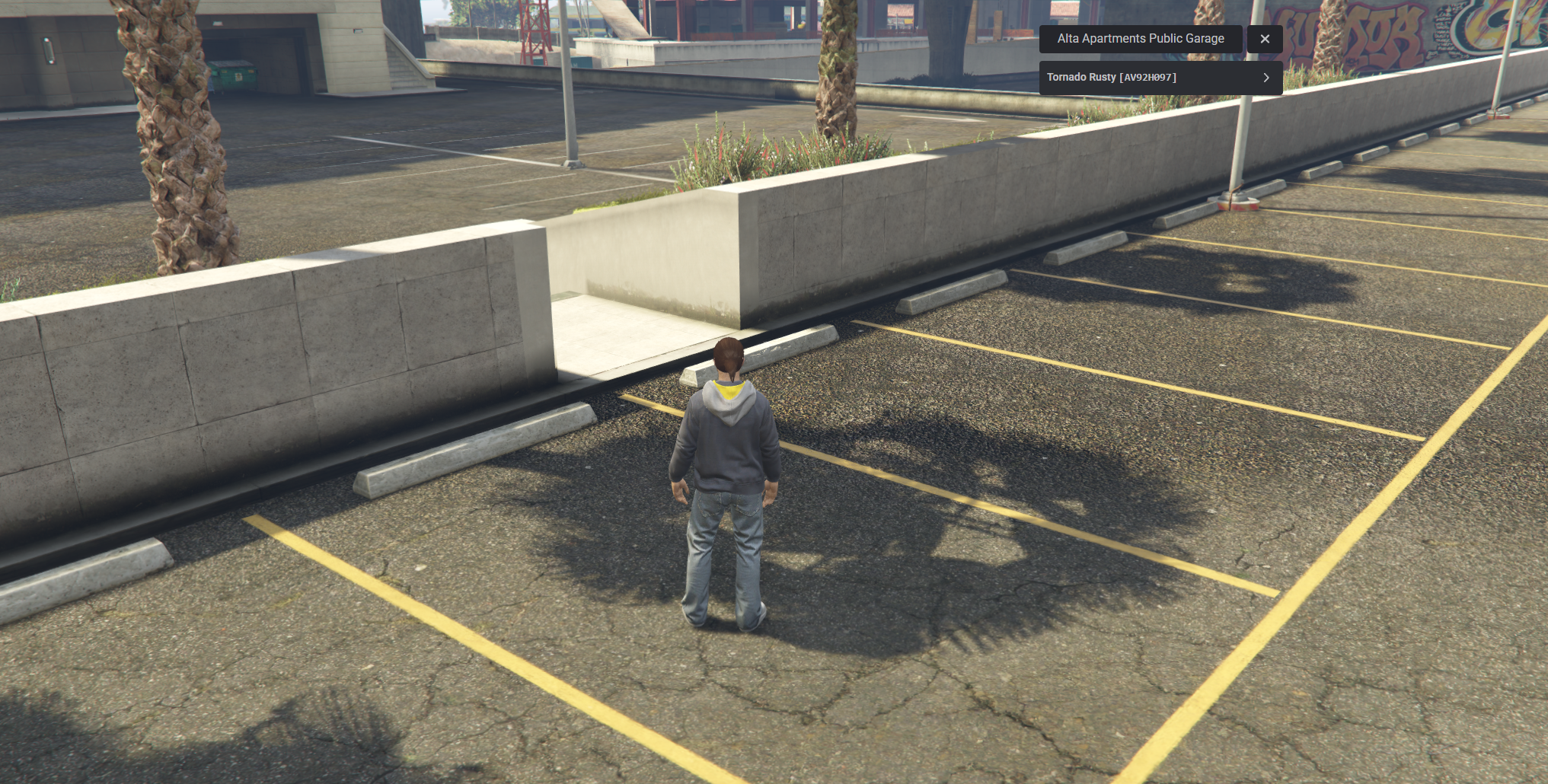
Your first vehicle awaits! In the garage menu:
- You'll see a list of your available vehicles
- Look for your starter car: "Tornado Rusty"
- Click on it to select your vehicle
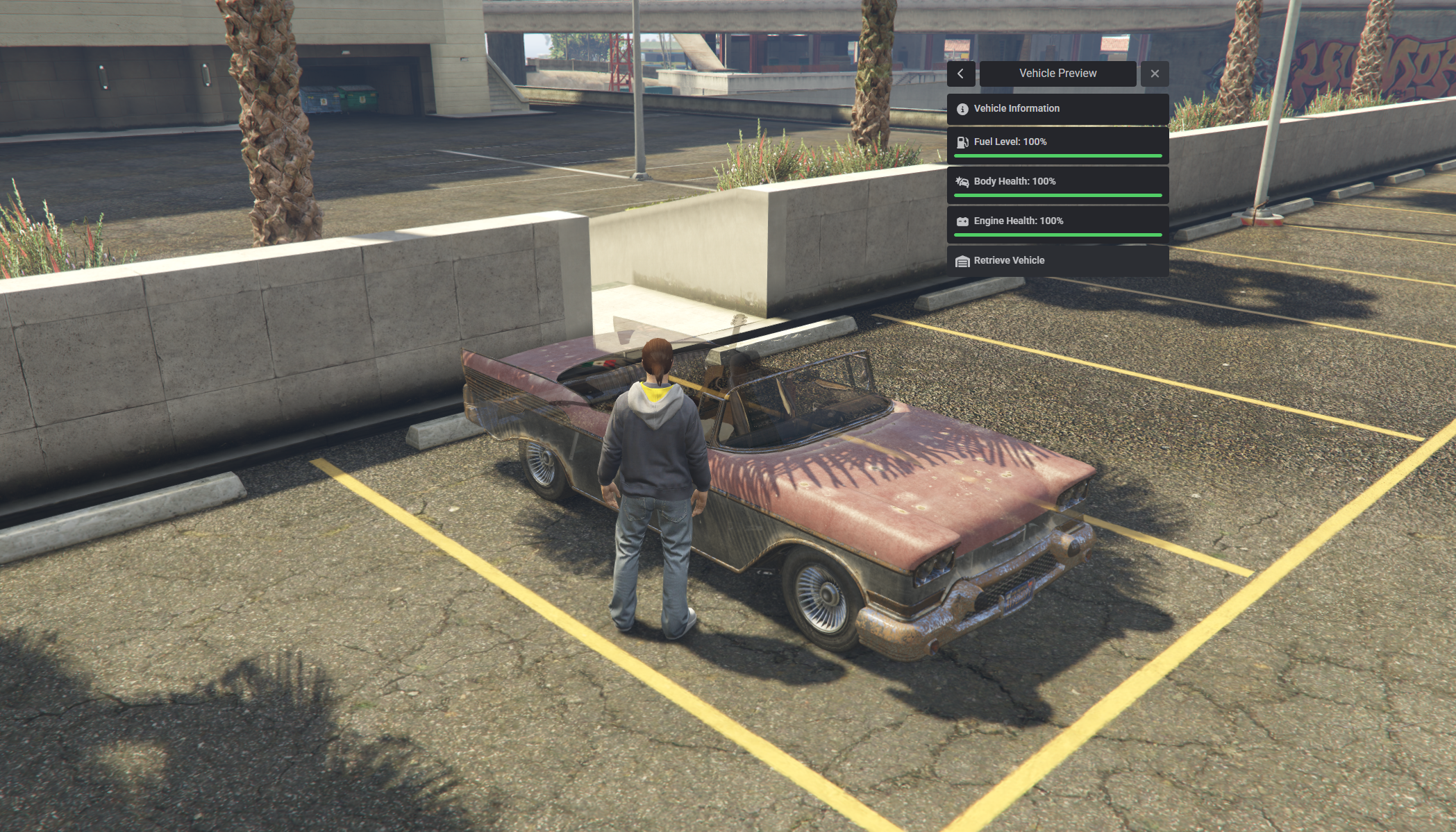
After selecting your vehicle:
- A preview of your car will appear in the parking space
- You'll see vehicle information including condition, fuel, and health
- Click "Retrieve Vehicle" to spawn your car
Congratulations! You now have your first vehicle in the city.
🗺️ Exploring the City
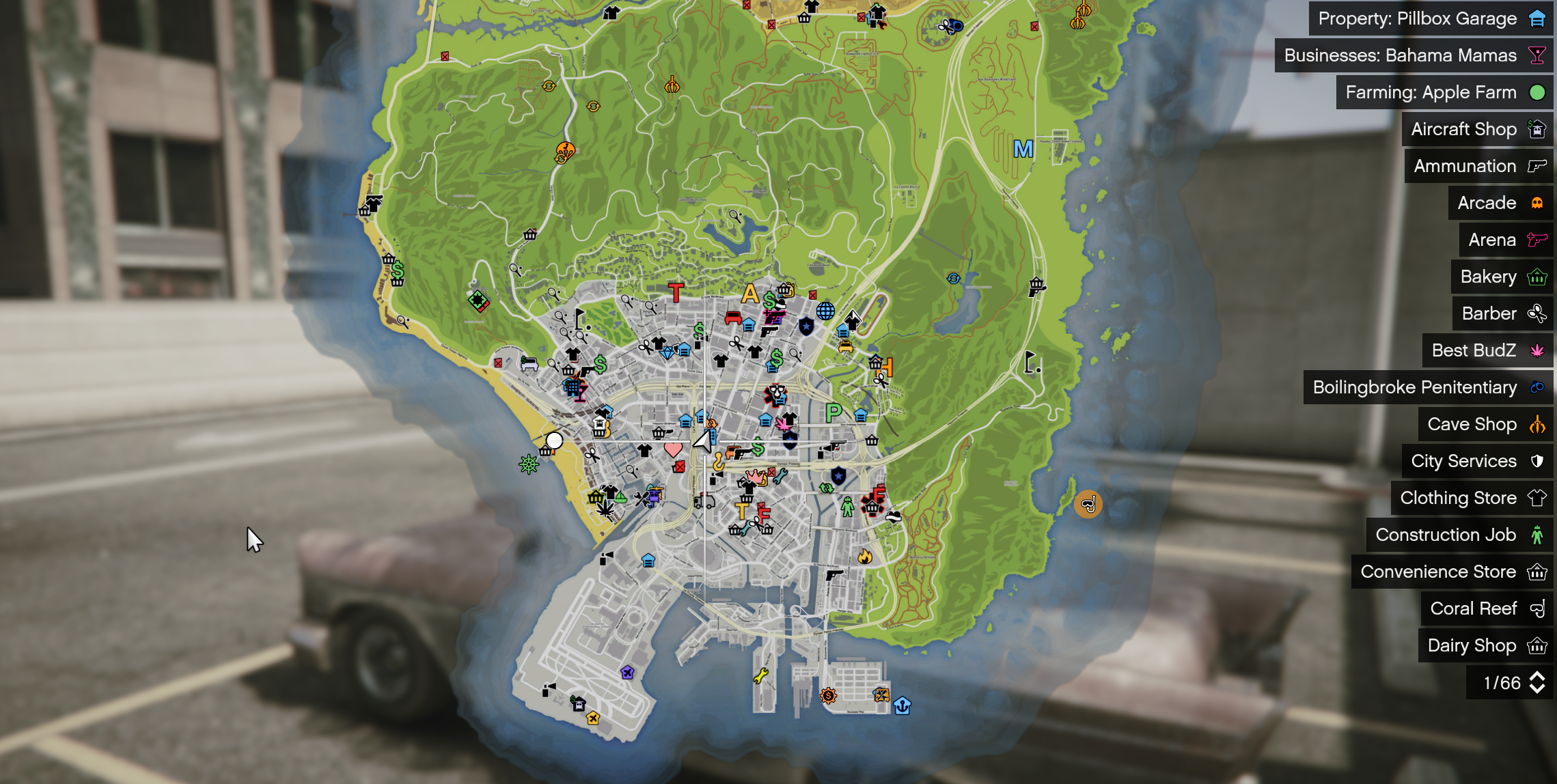
Now that you have transportation, it's time to explore:
- Press P or ESC to open your map
- You'll see numerous blips and locations throughout the city
- Each icon represents different businesses, jobs, and points of interest
Don't be overwhelmed by all the options! Take your time to explore at your own pace. The city is full of opportunities waiting to be discovered.
🎯 Next Steps
Now that you're equipped with the basics, here are some suggestions for your first adventures:
- Visit local businesses to learn about available jobs
- Explore different neighborhoods to find your favorite spots
- Meet other players and start building relationships
- Check out the various job locations marked on your map
- Read our FAQ for answers to common questions
Remember, Escape RP is all about creating your character's story. Take time to think about who your character is and what they want to achieve in the city!
📚 Additional Resources
For more detailed information, check out these helpful guides:
- 📖 Server Rules - Essential reading for all players
- ⌨️ Keys and Commands - Complete list of controls
- 📚 FAQ - Answers to frequently asked questions
Welcome to Escape RP, and enjoy your journey in the city! 🌴